
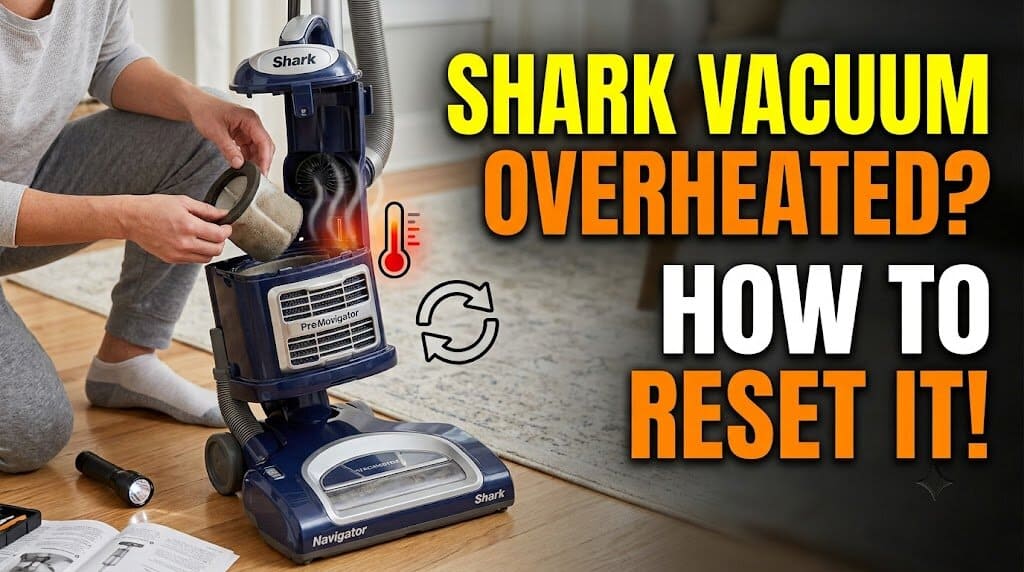
When my Shark vacuum suddenly shuts off and the motor housing feels unusually hot, I don’t try to turn it back on immediately. I switch it OFF, unplug it, let it cool, and clear the airflow path before testing it again.
Many Shark vacuums use thermal protection that can automatically shut the vacuum down when it becomes too hot. Shark’s troubleshooting instructions also recommend allowing an overheated vacuum to cool and checking for blockages before restarting it.
Quick Answer
To reset an overheated Shark vacuum: turn it OFF (0), unplug it, let it cool for at least 45–60 minutes, clear the airflow path, and then restart it. Many Shark upright models specify a 60-minute cool-down, while some cordless models specify at least 45 minutes.
There usually isn’t a physical reset button on the outside of the vacuum. The important part is allowing the thermal protection to recover and removing whatever caused the overheating.
Important: The exact procedure varies by model. I use the model-specific manual if it gives a different cool-down time or identifies a different warning condition.
Step 1: Turn the Vacuum OFF and Unplug It
Direct answer: Before waiting for the vacuum to cool, switch the power to OFF (0) and disconnect it from its power source.
For a corded Shark, I pull the plug directly from the wall.
For a cordless Shark, I turn the vacuum completely off. I don’t remove the battery unless the particular model is designed with a removable battery.
I also don’t reconnect power just to see whether the vacuum has recovered.
My safety check
I verify two things:
- The power switch is at OFF (0).
- The cord is completely disconnected from the wall, or the cordless vacuum is powered off.
If a cordless Shark or its battery feels hot after a shutdown, I let it return to room temperature before charging it.
Don’t put a hot lithium-ion battery straight onto the charger.
Step 2: Let the Shark Vacuum Cool Completely
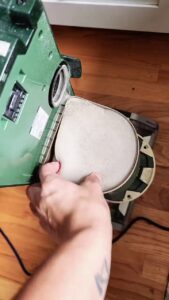
Direct answer: Give the vacuum at least 45–60 minutes to cool before attempting another startup.
For many Shark upright models, I use 60 minutes as my baseline.
For cordless models whose instructions specify a 45-minute cool-down, I use at least 45 minutes.
I put the vacuum in a dry, ventilated area and leave it alone.
I don’t:
- Put it near a heater.
- Leave it in direct sunlight.
- Cover the motor housing.
- Keep switching it on.
- Charge a cordless unit while the battery is still hot.
If the machine still feels unusually warm after the minimum waiting period, I simply wait longer.
Step 3: Clear the Airflow Before Restarting
Direct answer: Cooling the vacuum does not remove the blockage that may have caused the shutdown. I clear the airflow path before powering it back on.
Dust Cup
I empty the dust cup completely.
I don’t rely only on the Max Fill line. Fine dust can accumulate around internal screens and filters even when the cup itself doesn’t look packed.
Pre-Motor Foam and Felt Filters
I inspect the foam and felt filters for a dense layer of fine dust.
If the model uses washable filters, I clean them according to Shark’s instructions and let them dry completely before reinstalling them.
For models that specify a 24-hour drying period, I give them the full 24 hours.
I never put a damp filter back into the vacuum just because the outside feels dry.
Hose and Wand
I disconnect the hose and wand where the model allows it.
Then I shine a light through the openings.
I’m looking for:
- Pet hair
- Tissue
- Lint
- Carpet fibers
- Compressed debris
A blockage doesn’t always sit where I can see it from the outside.
Floor Nozzle and Brushroll
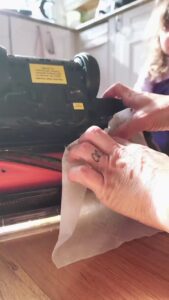
I inspect the floor nozzle and brushroll last.
This is where I pay particular attention if I have been vacuuming pet hair.
I remove hair and string wrapped around the roller, especially around the ends.
When I rotate the brushroll by hand, I want it to move without obvious mechanical binding.
Safety: The vacuum must be switched off and disconnected from power before I work around the brushroll.
Step 4: Reassemble and Perform a Short Test
Direct answer: Reconnect every component securely, then run the vacuum briefly before returning to normal cleaning.
I make sure the dust cup, filters, hose, wand, and floor nozzle are properly seated.
On models with locking connections, I listen for the normal click as each part locks into place.
Then I start the vacuum.
For the first 30–60 seconds, I pay attention to what I can actually hear and feel.
What I listen and look for
- A steady motor sound
- Normal airflow
- No unusual high-pitched whistling
- No burning smell
- No abnormal vibration
- Normal brushroll operation
- No immediate shutdown
When a blockage is present, the sound can change noticeably. I may hear a sharper, strained whine rather than the smoother motor sound I normally hear.
That’s a hands-on observation, not a universal diagnostic code for every Shark model.
If the vacuum sounds normal, I gradually return to regular cleaning instead of immediately putting it through a long, heavy carpet-cleaning session.
What If the Shark Shuts Off Again After 2–3 Minutes?
Direct answer: A second shutdown after a complete cool-down means I should not keep repeatedly restarting the vacuum. I recheck the airflow path once, then move to model-specific troubleshooting if the problem continues.
The important distinction is this:
A successful reset gets the vacuum running again. A successful repair removes the reason it overheated.
If I have already cleaned the filters, emptied the dust cup, cleared the hose and wand, and removed wrapped hair from the floorhead, I stop treating repeated shutdowns as a simple reset problem.
At that point, I look for a deeper mechanical, electrical, battery, or model-specific issue.
4 Signs I Stop Using the Shark Immediately
I don’t continue testing a Shark vacuum if I notice any of these conditions.
1. Strong Burning Smell
A persistent burning odor is not something I try to “vacuum through.”
I unplug the machine and stop using it.
2. Abnormal Mechanical Noise
A high-pitched airflow whistle is different from a grinding or metallic sound.
If I hear grinding, rattling, or harsh mechanical vibration from inside the machine, I stop.
3. Visible Heat Damage
I stop using the vacuum if I see:
- Melted plastic
- Warped plastic
- Discoloration around a component
- Damaged wiring
- A damaged plug or power cord
- Battery damage
4. Repeated Thermal Shutdowns
If the vacuum keeps shutting itself off despite a clear airflow path, I don’t repeatedly force it back into operation.
That’s the point where I move from basic troubleshooting to model-specific service or replacement.
What About a Shark Cordless Vacuum That Overheats?
Direct answer: Turn the cordless vacuum off and allow the unit and battery to cool before charging or using it again.
A cordless Shark can have shutdown conditions involving the battery, motor, floor nozzle, or airflow system, so I don’t assume that every automatic shutdown means the same thing.
If the vacuum displays a flashing battery indicator, I check the manual for that exact model.
I don’t treat a red or flashing LED as a universal “overheating code.”
My rule for a hot battery
If the battery feels unusually hot:
OFF → disconnect from use → allow it to return to room temperature → follow the model’s charging instructions.
I don’t put a visibly hot battery straight onto the charger.
How I Tell a Blockage From a More Serious Problem
This is where first-hand observation becomes useful.
Restricted airflow often feels like:
- The vacuum sounds strained.
- Suction changes.
- The floorhead feels different.
- The machine gets hot unusually quickly.
- The problem improves after clearing the airflow path.
A more serious problem concerns me when:
- The vacuum still overheats with clear airflow.
- It repeatedly shuts off after a short run.
- There is a persistent burning odor.
- I hear grinding or metallic noises.
- There is visible heat damage.
- A cordless battery behaves abnormally after cooling.
I don’t diagnose a failed motor solely from how hot the housing feels.
Does a Shark Vacuum Have a Physical Reset Button?
Usually, no.
Many Shark models rely on an internal protective shutdown system rather than an external reset button.
My recovery procedure is:
OFF → unplug → cool → clear airflow → reconnect → test.
The exact procedure depends on the model, so I don’t assume every Shark uses the same thermal-protection design.
How Long Does a Shark Vacuum Take to Cool Down?
Allow at least 45–60 minutes, depending on the model.
For many Shark upright models, I use 60 minutes.
Some Shark cordless instructions specify at least 45 minutes before restarting after an overheating-related shutdown.
If the vacuum or battery is still unusually hot, I wait longer.
Why Does My Shark Vacuum Shut Off After Only 2–3 Minutes?
A repeated short shutdown usually means the underlying problem has not been resolved.
I first check the airflow system and brushroll.
Fine dust on filters, debris in the hose, a blocked nozzle, or wrapped hair can interfere with normal airflow or floorhead operation.
If those areas are clear and the vacuum still shuts down within minutes, I stop repeatedly restarting it.
Can I Wash Shark Foam and Felt Filters With Soap?
I use plain cold water unless the manual for my specific model says otherwise.
Shark’s filter-cleaning instructions for applicable washable filters call for rinsing with cold water and allowing the filters to dry completely before reinstalling them.
I don’t add dish soap or other household cleaners simply because the filter looks heavily soiled.
The important part is that the filter is completely dry before it goes back into the vacuum.
Bottom Line
When my Shark vacuum overheats and shuts off, I don’t look for a magic reset button.
I use a simple sequence:
OFF (0) → unplug → cool for 45–60 minutes → clear the airflow → inspect the brushroll → reconnect → short test.
The cool-down restores the vacuum’s ability to operate after a thermal shutdown. Clearing the blockage is what addresses the reason the vacuum overheated in the first place.
If it runs normally afterward, I return to cleaning.
If it immediately gets hot, smells burnt, makes abnormal mechanical noise, or repeatedly shuts off despite clear airflow, I stop using it and follow the troubleshooting instructions for the exact Shark mod